Read your mail
Folders and messages over IMAP, with full text, search and paging.
Check once more before you send.
A desktop mail client that handles receiving, replying and sending — and puts a deliberate pause between you and the send button.

Wrong recipient, an attachment that should never have left, a half-written reply that went out anyway. Mail goes wrong after you send. Mail Box spends its effort on the moment before that, rather than on adding features.
This is a development build. Every message shown is sample data — no mail is sent or received.
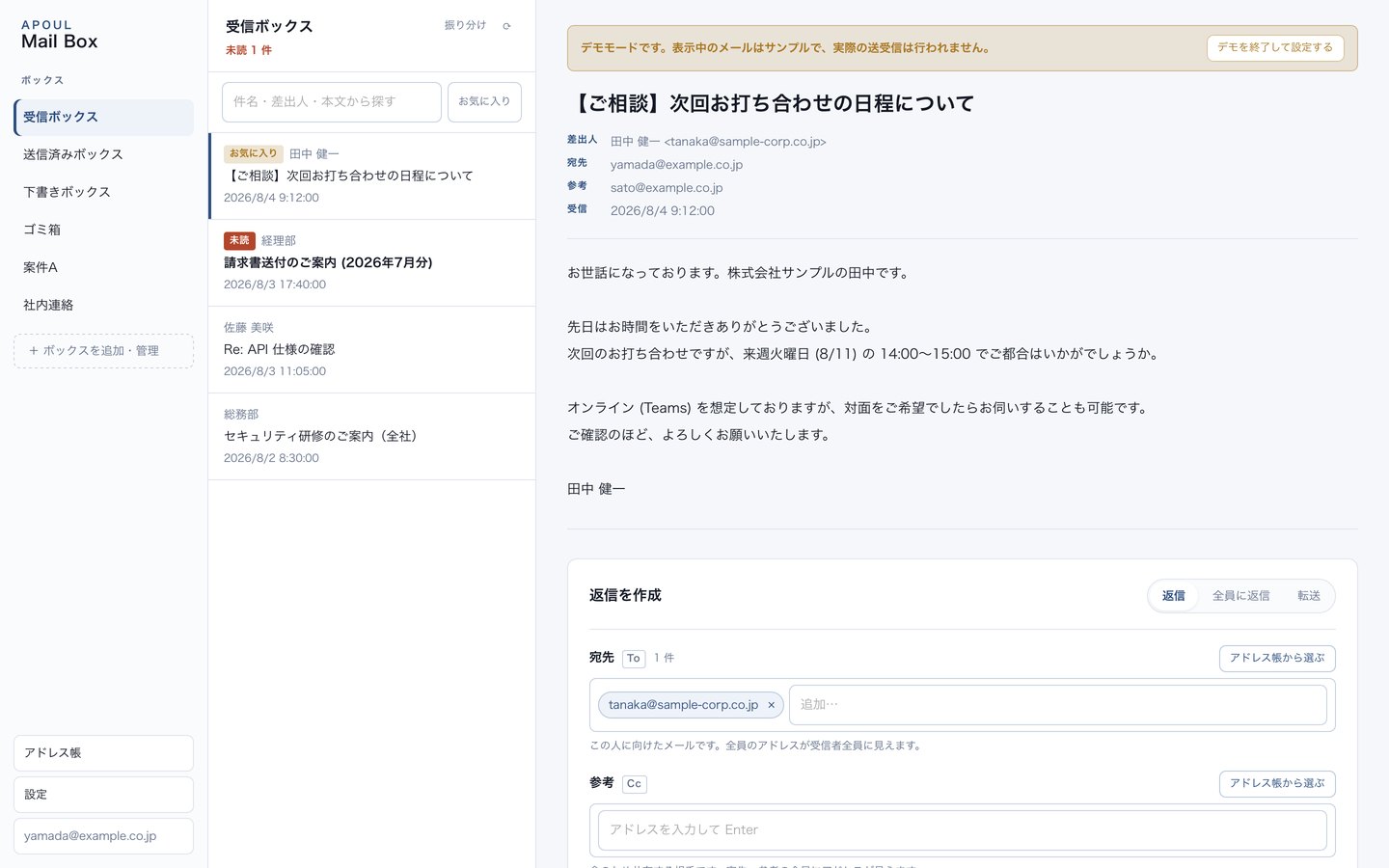
Folders and messages over IMAP, with full text, search and paging.
Sends over SMTP, keeps the thread and saves to your sent folder.
Recipient confirmation and a warning for external addresses. Hold sending for 0, 1, 5 or 10 minutes and cancel within that window.
Generates a draft reply. Choose Anthropic, OpenAI, or LM Studio on your own machine.
List, save and send, including encrypted ZIP with a generated password.
Mail passwords and API keys are stored in the OS keychain.
Confirm who is receiving it, right before it goes.
Notice an external address in the list.
Start from a draft, rewrite it yourself.
Encrypted ZIP and password on the spot.
You should be able to guess the next step without reading a manual.
Mail server settings and an app password.
Generate a draft if you want one, then make it yours.
Check recipients, pick a hold time, send.
If you use the AI draft, the text of that message is sent to the AI service you chose (Anthropic or OpenAI). Choosing LM Studio on your own machine sends nothing. Receiving and sending without AI stays between you and your mail server. Mail passwords and API keys are kept in the OS keychain, never in browser storage. Verification against real mail servers is part of the work still ahead of release.