In preparationDesktop

APOUL PDF Split

Take out the pages you need, on your own machine.

Splits a PDF by page or by region and writes each piece out as a separate file, without sending anything anywhere.

In preparationBeing prepared for release. Price, distribution and supported systems will be announced once fixed.
APOUL PDF Split app icon
DesktopAPOUL PDF Split
  • Splits locally on your device
  • By page or by range
  • Original kept, new files written
Why this exists

You need three pages out of forty.

Sharing a whole document when only part of it is relevant is awkward, and uploading it to a website is often not an option. PDF Split does the job locally.

Screen

What it looks like.

This is a development build. The final screen may differ at release.
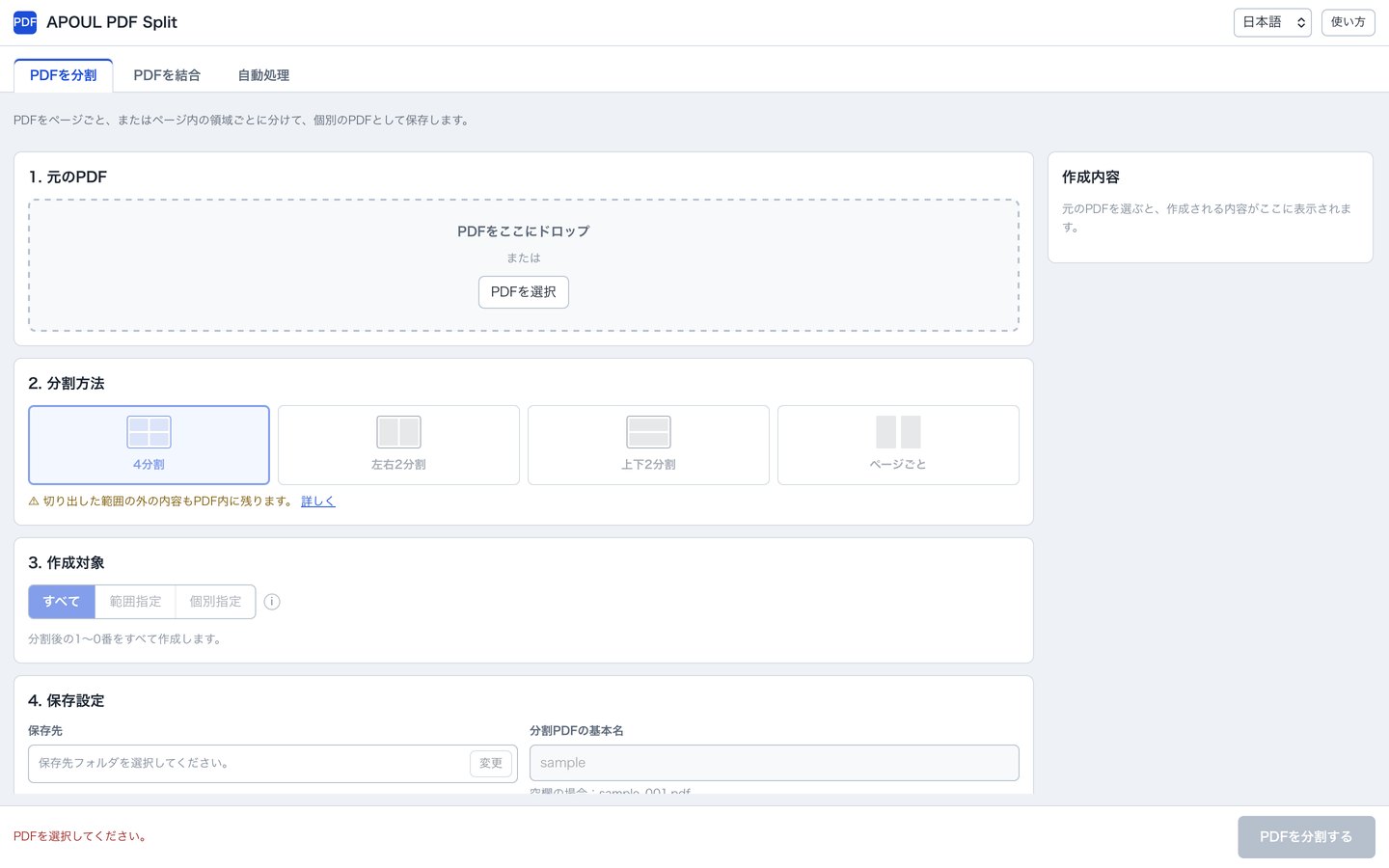
A screenshot of APOUL PDF Split: the source PDF drop area, split method choices (four-way, left/right, top/bottom, per page), what to create, and save settings.
What it does

What it does.

01

Split locally

Everything happens on your own device.

02

By page or by range

Whole pages, ranges, or regions within a page.

03

Keep the original

The source file is untouched; new files are written alongside.

When you would use it

Situations, not features.

Sending only the relevant pages

Extract, then share just those.

Documents that cannot be uploaded

No upload is involved.

Splitting a scanned batch

Cut a long scan into per-document files.

How it goes

The basic flow.

You should be able to guess the next step without reading a manual.

  1. 1
    Choose a PDF

    Drop it in or pick it.

  2. 2
    Choose how to split

    Pages, ranges, or regions.

  3. 3
    Write the files

    The original stays as it is.

Data and trust

Nothing is uploaded.

PDF Split processes files on your own device. The original PDF is not modified; the pieces are written as new files.

Questions

Common questions.

No. Splitting happens on your own device.
No. New files are written and the original is left alone.
No. It is in preparation for release.